15-minute-guy Leeds
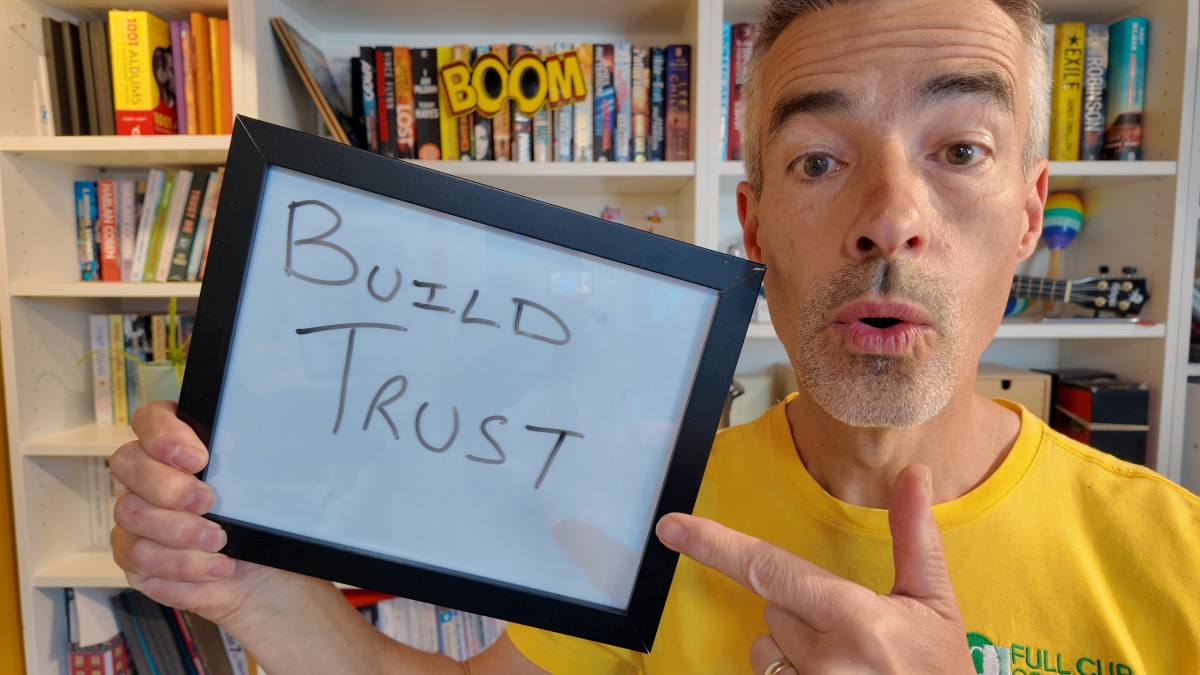
I’m Ashley Leeds, The 15-Minute Guy®.
I’m a LinkedIn trainer and coach, and I help people build confidence, clarity and consistency on LinkedIn in just 15 minutes a day.
And because of that, I get asked about LinkedIn automation tools all the time.
Tools like Meet Alfred, Dripify, Dux-Soup, Expandi, Linked Helper, Waalaxy, Zopto, HeyReach and Closely to name a few.....
I totally get why people are tempted.
Because LinkedIn takes time.
Building your profile takes time. Commenting takes time. Reaching out takes time. Following up takes time. And building trust definitely takes time.
When I am coaching my clients on LinkedIn, trust is one of the biggest things we talk about.
How do you become known? How do you become liked? How do you become trusted?
Because that is what LinkedIn is really about.
It is not about blasting strangers. It is not about automating conversations. It is not about pretending to be active while a tool does the work for you.
Trust takes time to build. It cannot be rushed. It cannot be faked. And it definitely cannot be automated.
You can automate a message.
But you cannot automate trust.
That is why I am always very cautious when people ask me about tools that automate activity on LinkedIn.
I am not saying these tools are badly built. I am not saying they do not work. I am not saying people who use them are bad people.
Here is what I am talking about.
Before you use these tools, do you realise there may be a risk?
What are LinkedIn automation tools?
LinkedIn automation tools are usually designed to save you time by doing LinkedIn activity for you, which is great, because it does take time. But can you find 15 minutes a day? Then we need to talk.
Depending on the tool and the settings, they might help with things like profile visits, connection requests, follow-up messages, outreach campaigns, scraping profile data, direct messages, post likes, comments, prospect lists and message sequences.
BOOM!!! Sounds perfect eh?
On the surface, it does sound brilliant.
Who would not want more conversations, more leads and more visibility while doing less of the boring stuff?
I'm on board with this, but is it safe?
Business owners are busy. Sales teams are busy. Marketing teams are busy. Founders are busy.
Most people already feel like they do not have enough hours in the day.
So when a tool appears and says, “We can automate your LinkedIn outreach,” it can feel like a no-brainer.
But this is where we need to investigate a little deeper.
Because the best question is not, “Will this save me time?”
What I want you to think is this: “Could this put my LinkedIn account, reputation or trust at risk?”
What does LinkedIn say about automation?
LinkedIn is pretty clear about this, and why I am writing this blog.
LinkedIn says it does not allow third-party software or browser extensions that scrape, modify the appearance of, or automate activity on LinkedIn’s website.
LinkedIn also warns against things like crawlers, bots, browser plug-ins, extensions, scripts, robots and other automated methods.
That is key, because if a tool is acting on your behalf, sending connection requests, viewing profiles, scraping data, sending messages or running activity while you are not actually doing it yourself, you need to be very careful.
PLEASE NOTE I am not a lawyer. This is not legal advice.
This is my view as a LinkedIn trainer and coach who helps people build a better LinkedIn presence without risking their account or damaging their reputation.
If the tool automates activity on LinkedIn, check LinkedIn’s own rules before you use it.
Do not just rely on the marketing page of the tool. Do not just rely on the sales demo. Do not just rely on “safe settings”.
Look at what LinkedIn says.
It is your account. It is your reputation. It is your risk.
“But the tool says it has safety settings”
Some tools say they are safer because they use things like daily limits, working hours, warm-up periods, delays between actions, human-like behaviour, cloud-based activity, personalisation options and lower-risk settings.
And yes, those features may reduce the risk.
But reducing the risk is not the same as removing the risk.
And it is definitely not the same as LinkedIn saying, “Yes, this is approved.”
That is the bit I think people miss.
A tool may be clever. A tool may be useful. A tool may have lots of happy users. A tool may have impressive logos on its website.
But that does not automatically mean LinkedIn approves it.
And it does not mean your account is risk-free.
The Ferrari analogy
I recently had a conversation about one of these tools and used a Ferrari analogy.
Someone said, “Is it like buying a Ferrari? The car is safe, but you still need to drive it sensibly. Don’t do 150mph down the motorway.”
I get the logic.
Use the tool sensibly. Do not go mad. Keep the settings low. Drive carefully.
But I do not think that analogy quite works.
The question is whether the Ferrari is allowed on that road in the first place.
Because with LinkedIn automation, the question is not just whether you are driving the Ferrari sensibly.
Driving slowly might reduce your chance of getting caught.
But it does not make it allowed.
That is how I see LinkedIn automation.
The tools might be clever. The tools might have limits. The tools might have delays. The tools might look natural.
But if LinkedIn does not allow third-party tools that automate activity on the platform, then you need to ask yourself a very honest question.
Is this worth the risk?
What could happen if LinkedIn thinks your activity is automated?
The risk is not just theoretical.
LinkedIn can restrict accounts if it spots suspicious behaviour.
That might mean you cannot send invitations. It might mean your profile viewing is limited. It might mean your account is temporarily restricted.
In more serious or repeated cases, you could put your account at greater risk.
And even if your account is only restricted for a few days, that is still a problem.
Especially if LinkedIn is important to your business.
For many people, LinkedIn is not just another social media platform.
It is where they build relationships. It is where they get referrals. It is where they win clients. It is where they build authority. It is where they are known.
So why risk it?
My friend ended up in LinkedIn jail
I have a friend who once got caught out without using any automation tool at all.
She was waiting for her daughter outside school and opened LinkedIn.
LinkedIn suggested some people she might know, so she quickly clicked connect, connect, connect, connect, connect.
No bad intention. No software. No campaign. No sneaky automation.
Just a few quick taps while waiting outside school.
But the behaviour looked unnatural and LinkedIn reckoned it looked automated.
And she ended up restricted for a few days.
Thankfully, she got her account back and everything was fine.
But it is a brutal reminder.
LinkedIn is looking for behaviour that does not feel human.
So if you behave like a bot, even accidentally, LinkedIn may treat you like one.
And if you use a tool that behaves like a bot for you, that risk becomes even more obvious.
Are all third-party tools bad?
No.
This is where we need to be fair.
Not all tools are the same.
There is a big difference between using a tool to plan your content and using a tool to automate your outreach.
For example, I am much more comfortable with tools that help you plan your posts, schedule your content, keep notes, track prospects, manage reminders, organise ideas, review analytics, create content drafts or keep a CRM updated.
Tools like Buffer, Hootsuite, Notion, Trello, Airtable, HubSpot, spreadsheets, calendars and reminder apps can be really useful.
They help you stay organised. They help you save time. They help you show up consistently.
That is a good thing.
But they are not pretending to be you in someone else’s inbox.
That is the difference.
My simple rule is this:
Use tools to organise the work, but do not use tools to fake the relationship.
The real problem is not just the rules
Yes, there is a risk with LinkedIn’s rules.
But there is another risk too.
Trust.
When I deliver LinkedIn training, I talk a lot about becoming known, liked and trusted, and this does not happen because you sent 200 automated connection requests, or you used a tool to automatically view 500 profiles for you.
It does not happen because someone was dropped into a sequence they did not ask for.
Trust is built through small, human moments.
A thoughtful comment. A useful post. A proper reply. A relevant connection request. A kind follow-up. A voice that sounds like you. A message that feels like it was actually written for the person receiving it.
That is how LinkedIn works, just like real life.
It is slower than automation.
But it is better.
Because people can feel the difference.
Most of us can spot a generic outreach message a mile off.
We know when we are in a sequence. We know when someone has not looked at our profile. We know when the “personalised” message is not really personal.
And we definitely know when someone is trying to shortcut trust.
LinkedIn is a networking event you can attend every day
This is how I help people think about LinkedIn during my LinkedIn training sessions and webinars.
It is not just a place to post. It is not just a place to sell. It is not just a place to collect connections.
LinkedIn is a networking event you can attend every day.
And just like a real networking event, you would not walk into the room, throw leaflets at people, shout your pitch and leave.
You would smile. You would listen. You would ask questions. You would join conversations. You would be useful. You would follow up afterwards.
That is what works on LinkedIn too.
Commenting is Currency.
A good comment can start a conversation. A good comment can get you noticed. A good comment can show your expertise. A good comment can build trust before you ever send someone a message.
That is not a shortcut.
That is a habit.
And habits work.
LinkedIn does work
This is the bit I really want people to understand.
LinkedIn does work.
But it works best when you treat it like a relationship platform, not a vending machine.
You do not put in automation and get out trust.
You build trust by showing up consistently.
Not all day. Not for hours. Not by becoming addicted to LinkedIn.
Just 15 minutes a day, done properly.
That is what I teach through my LinkedIn coaching and training.
A simple daily habit that helps you stop hiding on LinkedIn and start showing up with confidence, clarity and consistency.
Check who has viewed your profile. Clear your notifications. Reply to comments. Leave meaningful comments on other people’s posts. Send sensible connection requests. Follow up with people like a human. Share useful content. Pay attention. Be present. Be helpful.
That is it. Pretty basic but it is not flashy. It is not a hack. It is not a secret loophole.
But it works.
And more importantly, it protects your account, your reputation and your personal brand.
You cannot shortcut trust
Absolutely NOT.
- You cannot automate authenticity.
- You cannot outsource being known.
- You cannot build a strong personal brand by pretending to be present.
Sooner or later, people notice.
And LinkedIn may notice too.
So before you sign up for a LinkedIn automation tool, ask yourself the following questions as a bit of a sense check.
- Do I understand LinkedIn’s rules?
- Do I know what this tool is doing on my behalf?
- Could this activity look automated?
- Could my account be restricted?
- Could this damage trust with the people I want to reach?
- Would I be happy if my ideal client knew I was using this tool?
Those are useful questions.
Not because tools are evil, but because shortcuts have consequences.
My advice as a LinkedIn trainer
My advice is simple.
Use tools to plan. Use tools to track. Use tools to remind you. Use tools to help you write, organise and measure.
But do the human bit yourself.
Write the comment. Send the connection request. Start the conversation. Follow up properly. Build the relationship.
Because that is where the trust is built.
And trust is the whole point.
This is exactly why I teach the LinkedIn Daily Habit.
It is simple. It is human. And it only takes 15 minutes a day.
Final thought
Are LinkedIn automation tools worth the risk?
For me, no.
Not when your LinkedIn account matters. Not when your reputation matters. Not when trust matters.
And definitely not when there is a safer, better and more human alternative.
Show up for 15 minutes a day.
Be useful. Be visible. Be interested. Be human.
Stop hiding on LinkedIn.
Build your confidence, clarity and consistency.
Show up as yourself.
Because visibility creates opportunity.
And honestly, what’s the best that can happen?
No spam. No shortcuts. No risky automation.
Just a simple, consistent LinkedIn habit that helps you become known, liked and trusted.
That is what I help people do.
I’m Ashley Leeds, The 15-Minute Guy®.
And I help people build a LinkedIn presence that feels human, safe and sustainable.
Useful LinkedIn links
LinkedIn Help: Automated activity on LinkedIn
https://www.linkedin.com/help/linkedin/answer/a1340567
LinkedIn Help: Prohibited software and extensions
https://www.linkedin.com/help/linkedin/answer/a1341387/prohibited-software-and-extensions
LinkedIn Help: Account restrictions
https://www.linkedin.com/help/linkedin/answer/a1340522
LinkedIn Help: Types of restrictions for sending invitations
https://www.linkedin.com/help/linkedin/answer/a551012/types-of-restrictions-for-sending-invitations
Connect with me on LinkedIn HERE