15-minute-guy Leeds
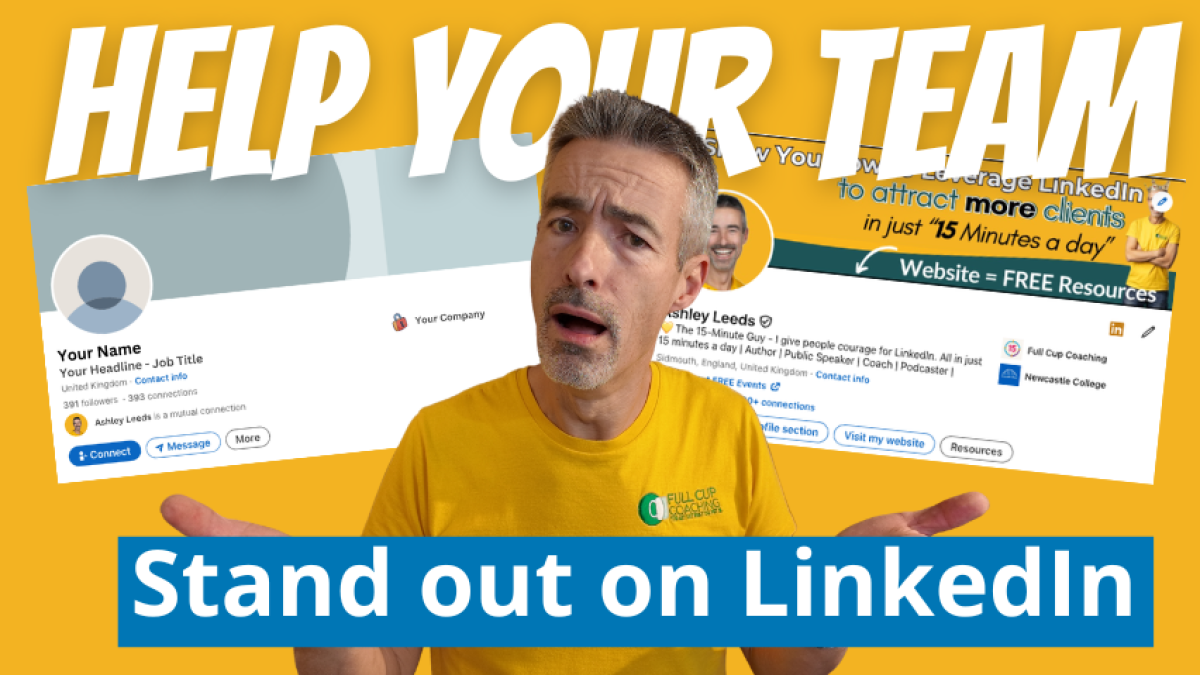
Many businesses want their employees to become more active on LinkedIn.
- They want them to like company posts.
- Comment on company updates.
- Share news.
- Talk about the business.
- Help the company reach more people.
And there is nothing wrong with that because your team can become one of the most powerful marketing tools your business has.
But the main problem I see is that these businesses are asking their employees to engage on LinkedIn before making sure their profiles properly represent the company.
They are asking people to become more visible when their profiles are still hiding them.
Which I think is the wrong way around.
Before you ask your team to start sharing, commenting or creating content, you need to make sure they look the part.
Your team is part of your company’s LinkedIn presence
When most businesses think about LinkedIn, they focus on the company page and follow what they have done on their website. They make sure the logo looks good and that they have a smart banner.
They then add information about the business, they publish posts, and they also announce company news.
But then a prospective new customer clicks on the People section so that they can have a look at the employees who work for the business.
And this is where we lose out because they see members of the team who have...
- Blank banners.
- Tiny photographs.
- Old job titles.
- Unclear headlines.
Plus they may be missing profiles that do not even show the company name properly.
That creates a disconnect and can even harm trust.
The company page may look polished and corporate-looking, but the people representing the business look unfinished or even incongruous.
We need to make sure that our employees' profiles are part of the company brand because every member of your team is a doorway into your business.
- A prospect may receive a connection request and then visit that person’s profile.
- Potential clients may discover your company through an employee.
- A future recruit may look at the people who already work there.
- A referral partner may search for someone in a particular role.
What they see matters.
People should not have to work out what you do
When somebody visits a LinkedIn profile, the first section they see is often called the top card.
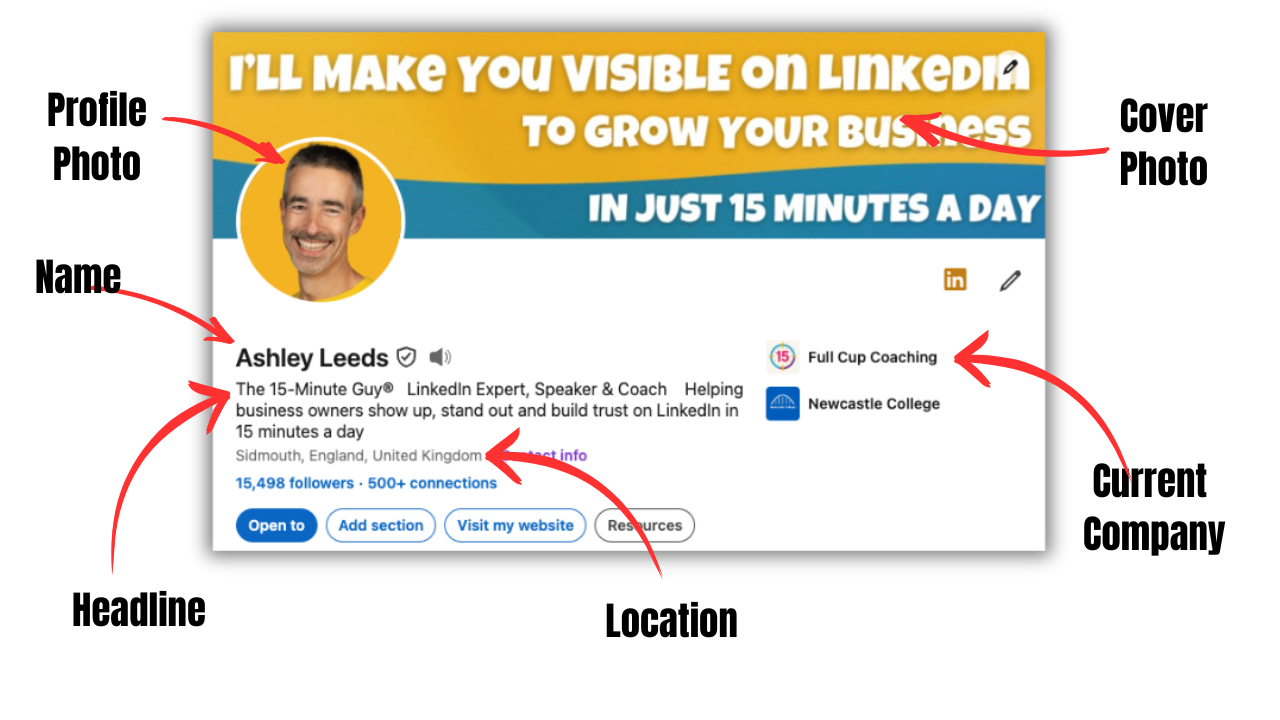
This includes:
- The profile photo
- The Cover Photo (background banner)
- The person’s name
- The headline
- Their location
- The current company
That small section needs to do a lot of work as soon as someone lands on their profile.
It should immediately help somebody understand:
- Who the person is
- What they do
- Where they work
- What the company does
- Whether the person is relevant to them
People should not have to scroll through the whole profile to work this out. It should be immediately obvious what people do and how they can help you. Because in real life, when people have to work too hard to understand something, they usually leave.
- They should not have to read every job description.
- They should not have to visit the company website.
- They should not have to scratch their head.
If you do not have clarity, people will click away and go and look at another profile.
The four things every employee profile needs
You do not need to rebuild every LinkedIn profile overnight, and don't worry, you do not need to turn every employee into a content creator.
You do not need to force everyone to become a personal branding expert.
You just start with the basics.
Every employee profile needs four things.
A profile photograph that can actually be seen
Your photograph is the first thing that people see most of the time, unless they visit your profile. So it has to work. Sadly, due to the space for images, your profile photo is tiny on LinkedIn.
But it is everywhere!
- It appears beside your posts.
- It appears beside your comments.
- It appears in search results.
- It appears in connection requests.
- It appears in lists of people who have liked or reacted to content.
A photograph may look great when viewed at full size.
But when LinkedIn reduces it to a small circle, your face can disappear.
This happens when:
- The person is standing too far from the camera
- Too much of the body is included
- There is too much background
- The photograph is dark
- The face is not clearly visible
- The person is not looking towards the camera
The best LinkedIn photographs usually show the person’s head and maybe a little bit of the neck! But does the person look approachable and are they easy to recognise?
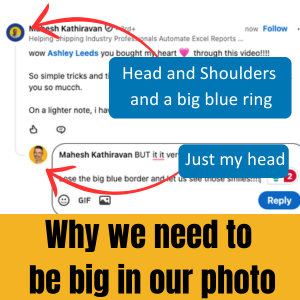
We need the face to fill most of the circle and use a background colour to help them stand out.
This does not mean every photograph has to look identical because we want people to still look like themselves.
But a simple branded background can create consistency and make the team more recognisable.
The goal is not corporate cloning. The goal is visibility.
A clear company banner
The LinkedIn banner is the large image behind the profile photograph and is the biggest part of visual space on the profile. But you'd be surprised how many people leave it blank.
Others use a picture of a beach, a city skyline or a random abstract pattern, or maybe a Canva template where they have just changed their name.
There is nothing wrong with those images, but they are often a missed opportunity because a well-designed banner will help someone understand the business.
It might include:
- The company logo
- A clear description of what the business does
- The type of clients the company helps
- A short benefit-led message
- The company’s brand colours
The wording needs to be simple, but it also needs to be large because 70% of people use LinkedIn on their mobile devices. On my mobile phone, your banner is around 6.5 cm x 1.5 cm so if your banner includes lots of tiny words, nobody will read them.
A good banner should communicate one strong message.
For example:
This is mine.
I’ll Make You VISIBLE on LinkedIn To grow YOUR business in just 15 Minutes a day
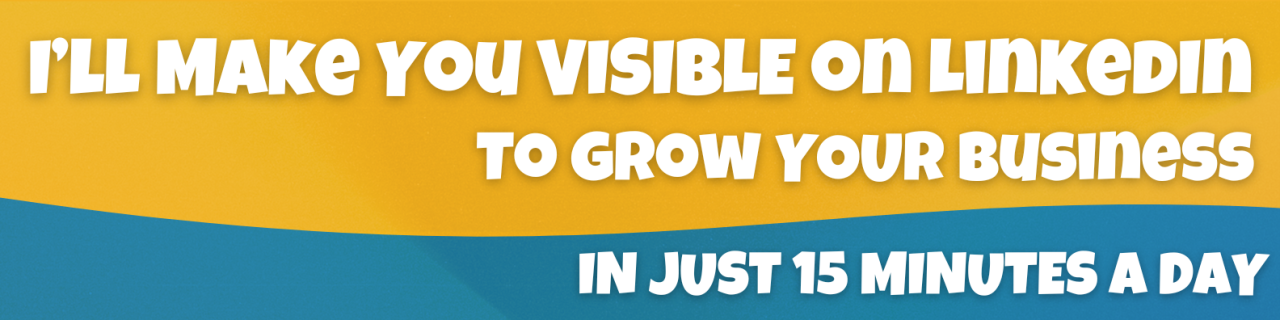
That tells people far more than simply adding the company name and logo.
The logo tells people who you are.
The message tells them why they should care.
The correct company displayed at the top
Many people assume LinkedIn will automatically show their current company logo at the top of their profile.
That does not always happen.
The company may be listed within the Experience section, but it may not appear clearly in the introduction at the top. And you also need to ensure that it is the correct company! If we are in a hurry, we can easily choose a similar-sounding company.
Without a company, somebody can visit the profile and still have no idea where that person works. That is a problem when the business wants employees to support the company online.
Every team member should check that:
- Their current role is listed correctly
- The role is connected to the official company page
- The company name appears at the top of the profile
- The dates and job title are accurate
This small change instantly makes a profile feel more complete and professional.
It also helps people move between an employee profile and the company page.
That strengthens the link between the individual and the business.
A headline that explains their role
The LinkedIn headline sits directly below the person’s name.
Many employees simply use their job title.
For example:
- Owner or Founder
- Accounts Manager
- Finance Director
- Marketing Assistant
- Client Services Manager
These titles may be accurate, but they do not always tell the wider story.
A stronger headline can explain:
- What the person does
- Who they work with
- Their area of expertise
- How they support clients
- The company they represent
For example:
Accounts Manager at Naylor Accountancy Services | Helping business owners gain clarity and confidence in their numbers
That is much clearer.
It does not need to be clever or sound like a slogan; it simply needs to help people understand the person.
The best headline is not always the most creative one; it is the one that makes sense immediately.
Do not make employee engagement the first step
A common mistake is to begin a LinkedIn team programme by saying:
“Please like and share our company posts.”
This may create a burst of activity, but in my experience it rarely creates lasting engagement.
Employees may not feel confident or understand what to say and can worry about saying the wrong thing. Your employees may feel uncomfortable sending people to an unfinished profile. And they may just see LinkedIn as another task that has been added to their workload.
This is why the order matters.
Start by helping people feel proud of their profiles so that they have something they are happy to be associated with, and help them understand how LinkedIn can benefit them personally as well as help the company.
This is when you introduce engagement.
A simple LinkedIn rollout for your team
You do not need a complicated social media policy and a six-month project plan.
Keep it simple.
Stage One: Improve the profiles
Make sure everyone has:
- A clear banner
- A strong photograph
- The correct company displayed
- A helpful headline
Stage Two: Explain why LinkedIn matters
Help employees understand that LinkedIn is not just a place to look for jobs.
It can help them:
- Build professional relationships
- Stay visible within their industry
- Develop their reputation
- Learn from other people
- Support colleagues
- Attract opportunities
- Build trust with clients and prospects
Stage Three: Introduce simple engagement
Start with small actions.
Ask employees to:
- Follow the company page
- React to relevant company updates
- Add a genuine comment
- Congratulate colleagues
- Join useful industry conversations
- Spend a few minutes engaging each week
Do not start by telling everyone to create three posts a week.
That will frighten most people away. You need to make it easy with small, consistent actions which are far more effective than a sudden burst of enthusiasm followed by silence.
Stage Four: Help people find their own voice
Once people feel more confident, encourage them to talk about:
- Lessons from their role
- Client questions
- Industry changes
- Team successes
- Events they attend
- Projects they are proud of
- Things they have learned
- The human side of the business
They do not need to sound like the marketing department. In fact, they should not sound like the marketing department; they should just be themselves because people trust real people.
That is why employee content can be so powerful.
Your employees should not become company robots
Consistency is useful, but identical profiles are not.
A shared banner can strengthen the company brand, but think about how you could personalise them without changing the company branding.
A consistent photographic style can make your employees recognisable and be part of a team.
Clear headlines can help everybody explain their role.
But employees still need to sound like themselves.
They should use their own words and share their own experiences by talking about the things they care about, so that they can bring their own personality.
The goal is not to create twenty copies of the same person.
The goal is to help twenty individuals confidently represent the same business.
A strong personal brand helps the company too
Some business owners worry about helping employees build personal brands.
They think:
“What happens if they become visible and leave?”
That is understandable.
But hiding your employees is not a retention strategy.
Good people want to grow.
- They want to be recognised.
- They want to develop their skills.
- They want to feel proud of where they work.
Helping employees build their professional reputation can benefit everyone.
It can:
- Strengthen the company’s credibility
- Improve recruitment
- Increase employee confidence
- Create more conversations
- Build trust with prospects
- Expand the company’s reach
- Position the business as a place where people thrive
A strong personal brand and a strong company brand can support each other.
They are not in competition.
Being memorable matters
There are thousands of accountants. Thousands of coaches. Thousands of marketing professionals. Thousands of consultants. You get the picture.
Being good at your job is important, but people also need to remember you.
That is why positioning matters.
I call myself The 15-Minute Guy.
It tells people something about my approach: I help people use LinkedIn in a simple and manageable way. I do not want them spending all day on the platform.
I want them to build a habit that takes just 15 minutes a day.
That simple positioning has helped people find me through LinkedIn, Google and AI tools and even helped somebody identify me after overhearing a conversation on a train. They did not remember my full name, but they remembered The 15-Minute Guy.
That is the power of being clear and memorable.
Your employees do not all need nicknames or trademarked brands; they do need to be understandable so that people know what they do, know where they work, and more importantly, know how they can help.
The company page is only part of the picture
Your company page matters because it gives your business a home on LinkedIn.
But your employees often have much bigger and more active networks.
- Their voices can travel further.
- Their stories can feel more human.
- Their relationships can create trust.
That is why your team can become such an important part of your LinkedIn strategy.
But you cannot simply tell people to start posting; you need to give them confidence, clarity and practical support. Which is why you need to make sure their profiles look ready.
Start with the profile, not the post
Before you ask your team to like, comment, share or create, take a look at their profiles.
- Can you immediately see where they work?
- Can you understand what they do?
- Can you clearly see their photograph?
- Does their banner explain the business?
- Does their headline make sense?
- Would a potential client feel confident clicking through?
- Would a future employee be impressed?
- Would the profile strengthen or weaken the company’s reputation?
Every comment your employee writes leads back to their profile, and every connection request leads back to their profile. Every company post they support leads back to their profile too.
Want your team to become more visible on LinkedIn?
I help businesses and professional teams improve their profiles, build confidence and use LinkedIn consistently without it becoming another full-time job.
Together, we can make sure your team looks the part, understands what to do and feels confident representing your business.
All it takes is a clear strategy and a simple habit.